The Part of CS Nobody Prepares You For
In my third year at NSUT, I created a REST API to work with a distributed task queue, which was my minor project requirement. The REST API was functional – all the endpoints worked, and the logic was sound. However, there was something that caught my mentor off guard: "Where is your documentation?"
This wasn't about "adding a README file" or just "a few more comments in the code." This was about actual documentation – all of it!
It took me four days to write it manually, using the documentation of Stripe and Twilio as the standard. This process takes more time than implementing the actual API. One thing I learned from it is that technical documentation is a skill, and it is treated as such in most computer science curricula.
Here comes the best part. AI changed all of this. With proper prompting in 2026, a language model could create 80% finished technical documentation ready for publication. The last step is up to you. You must own the content, evaluate it, and adjust it accordingly, but the problem of an empty page will be gone.
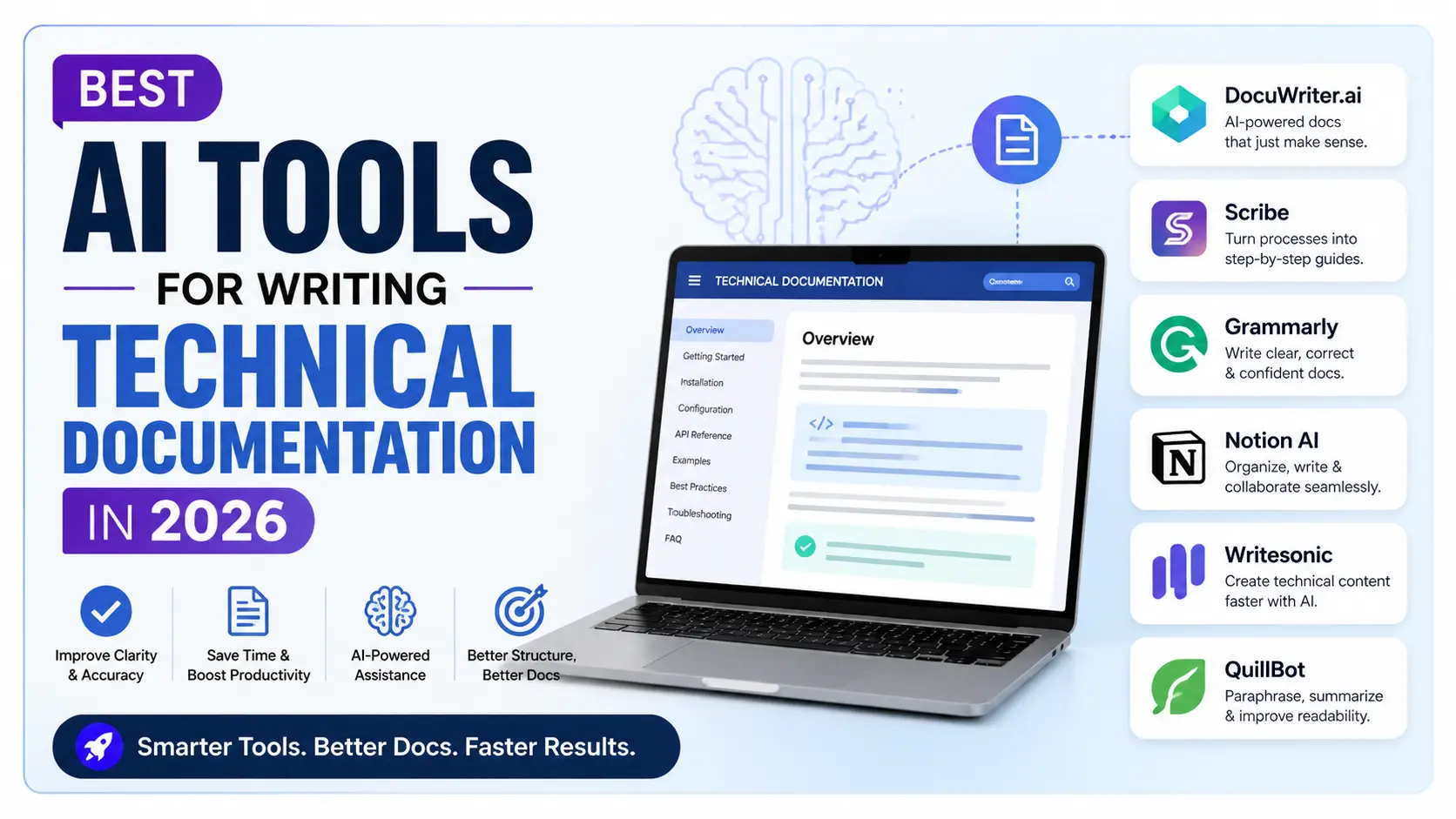
In this blog post, you will find my comprehensive list of tools I use to write technical documentation, their areas of expertise, and how to incorporate them in a student workflow.
| Tool | Best For | Price | Rating |
|---|---|---|---|
| TOP PICKClaude | Long-form docs, specs, API references | Free / $20 Pro | ⭐ 4.8/5 |
| Mintlify Writer | Auto-generating docstrings and READMEs | Free tier available | ⭐ 4.6/5 |
| Notion AI | Internal wikis and runbooks | Add-on to Notion plan | ⭐ 4.3/5 |
| Swimm | Inline code docs synced to repo | Free for individuals | ⭐ 4.2/5 |
| ChatGPT (GPT-4o) | Explaining and restructuring existing docs | Free / $20 Pro | ⭐ 4.4/5 |
| GitHub Copilot | Inline docstrings and comments while coding | Free (Student Pack) | ⭐ 4.5/5 |
Claude — The Best All-Around Documentation Partner
Of all the AI tools available to do documentation work, Claude is the one that I will continue using because of its unique ability to handle long-context work. For instance, you cannot generate good API documentation without providing the AI with all your schema. Similarly, you cannot come up with a technical specification document without providing it with your architecture information and constraints.
My actual workflow: In my capstone project, I copied all of my Django REST Framework views files and created a crude list with a brief description of what each endpoint should accomplish. I asked Claude to provide Stripe-style documentation, including summary endpoints, request parameters, response schemas, and error codes. The result was concise, clean, and needed just one revision before being signed off by my advisor. It took me three hours compared to four days when I did it myself the previous year.
Not only does Claude excel at writing API documentation, but it also does an amazing job at writing technical specs. Give Claude a detailed account of your architecture, including all the components, how they communicate with each other, what decisions were made, etc., and Claude will give you a neatly formatted specification document with different sections and numbered lists.
Where it really shines: Completing complex instructions involving multiple steps. Ask Claude to write in a certain tone of voice, add a note for each parameter specifying when it is used, organize the output into a certain structure, and refrain from using passive voice, and Claude will deliver a perfectly polished 2,000-word document.
Pros
- Massive context window – copy-paste whole code bases without losing context
- Incredibly skilled with long-form writing – specifications, README files, API documentation
- Adheres to formatting guidelines throughout long pieces of writing
- Free version actually works well for student documentation needs
Cons
- Doesn't integrate with your own IDE at all – you will always be copying in code and pasting out documentation
- May sometimes make informal documentation overly formal
- Pro account required ($20/mo) for writing long documents with priority support
- Won't automatically keep up with your code changes – you must prompt manually
A Prompt Template That Works for API Docs
Here is the exact format for the prompts I send Claude for REST APIs:
"You are a technical writer tasked with creating developer documentation, similar to Stripe’s API documentation. Here are the specifications for the endpoints and the view implementations using Django: [paste code]. Create documentation for each endpoint as follows: a brief sentence defining the endpoint, its HTTP method and path, parameters of requests along with data types and descriptions, the response schema along with descriptions for fields, and error codes and their causes. Use Markdown."
Be as explicit as possible with your prompts to minimize editing required on the output. Vague prompts generate vague results. Explicit prompts generate usable outputs.
Mintlify Writer — Purpose-Built for Developer Docs
Mintlify was a documentation hosting website at first, but Mintlify Writer extension has turned out to be one of the most dedicated tools in its ecosystem that can help out CS students and developers. This tool integrates directly with Visual Studio Code and automatically produces docstrings, comments, and function documentation right from your code snippets.
What this means for CS students: If you are working on some data structures task or some assignment in systems programming, then this plugin will allow you to automatically generate JSDoc, docstrings in Python, or JavaDoc documentation depending on your function signature and logic. In other words, you will receive documentation as an output product of coding, as it should be.
How it differs from Copilot: The former allows you to autocomplete code whereas the latter is focused on documenting the code that has been written.
Pros
- Integration with VS Code means the docs live with the code rather than on another tab
- Supports language-specific doc formats (e.g., JSDoc for JavaScript)
- Makes documenting your code nearly effortless
- The free version will meet most developers’ needs
Cons
- Mainly oriented toward function-level documents and not very suitable for architecture documentation
- Performance is poor for abstract and complex code
- Useless when it comes to non-conventional and domain-specific codes
- Cannot serve as a substitute for documentation tools for projects and APIs
GitHub Copilot — Documentation as a Side Effect of Coding
Copilot can be seen as a code completion tool. Yes, that’s right. However, I was surprised by how well it can generate inline documentation while you are coding. After writing a function signature, adding a comment explaining what the function does, and having Copilot complete the rest, you can simply flip the process around: Write the function body, and ask Copilot to create a documentation string for you.
Best use for CS students: Labs and side projects where you need some form of documentation, even if not the best one. Copilot isn’t creating Stripe-grade API documentation, but it’s making sure that your code is still comprehensible.
This comes included in the GitHub Student Developer Pack, which means it is entirely free if you haven’t gotten yours yet. The website to join is education.github.com. You’ll need a college email address.
- 1
Get the Student Developer Pack from Github by applying on education.github.com using your institute mail ID (such as your mail id @nsut.ac.in). The process will usually take 24 to 48 hours.
- 2
Once you've got it, activate Github copilot at github.com/settings/copilot; Copilot comes free with the Student Developer Pack.
- 3
Install the Github Copilot Extension in VS Code from the Extension Marketplace.
- 4
Log into your Github account in VS Code. The Copilot Icon will show up in your status bar indicating that it's active.
- 5
To generate DocStrings: Type/Paste your function code, place the cursor just above the code, type in your preferred comment sign (For example '"""' for Python or '/**' for Java script), accept the suggestion Copilot gives you.
Notion AI — For Internal Docs and Team Wikis
However, not everything we document is necessarily external. In fact, a lot of the documentation work done in teams, through internships, and even in open-source contributions is internal: onboarding material, runbooks, post-mortems, architecture decision records. In this case, Notion AI really shines.
Assuming that your organization uses Notion anyway, integrating the AI extension directly into your current workspace becomes simple. All you need to do is provide a general outline of bullet points and task Notion AI to turn this into a proper runbook. You can copy and paste a meeting agenda and ask the tool to generate action items and their owners. When there's too much internal material that nobody wants to create, Notion AI can save you a lot of hassle.
Not ideal when: You are working on developer-facing API docs or any other type of public documentation outside of Notion.
Swimm — AI Documentation That Stays in Sync With Your Code
Swimm is the least appreciated tool among those mentioned above. The basic idea behind Swimm is "code-coupled documentation," which means that documentation will be coupled with the exact code line of your repository, and when there is any code change, the documentation associated with the code will be flagged as outdated and needing to be checked.
Why this is important: Docs are often outdated, which leads to the phenomenon known as "documentation rot." It is when you write some top-notch documentation for a code line and then refactored that code after two weeks. Now the documentation is outdated. No AI documentations tool does anything against this, but Swimm does.
When working on your final project and capstone projects with constantly changing code, Swimm will ensure you have up-to-date documentation thanks to the integration between the AI writing tool and the synchronization process.
The limitation to know about: Swimm requires some set-up on the per-repository basis, so for small, quick tasks that do not involve team collaboration and versioning control, it might be not necessary at all. However, if you plan to open-source any project or keep maintaining it even after graduation, this one will be useful to learn.
The Documentation Stack That Actually Works
For most CS students, the proper stack to choose would be the following: Claude – for writing extensive documentation, such as README files and specifications; GitHub Copilot – for writing in-line docstrings. The best part is that both of them are free through the Student Pack or the free tier of Claude.
ChatGPT — Best for Restructuring Documentation You Already Have
ChatGPT is not my go-to AI for crafting documentation from scratch since Claude deals with lengthy contexts better. However, there is one particular case when I would rather use ChatGPT than any other available solution: restructuring and rewriting already crafted documentation pieces that are poorly structured.
This scenario is very applicable to situations where one needs to deal with legacy projects, inheriting all their documentation that was crafted before and might be too messy or written in a manner that cannot be easily comprehended at this moment. One just needs to input the existing documents into the chat and ask, "What part is unclear?" Then, ChatGPT will go on to provide explanations or suggestions about how to structure the information better, and it will be possible to iterate this process until one gets the result.
Practical Workflows: AI Tools Mapped to Documentation Tasks
Writing a README for an Open-Source Project
Use Claude. Copy your project description, technology stack, major features, and installation process roughly into bullet points. Request Claude to generate a README document based on the format of an existing popular open-source software (mention which one you like). Evaluate Claude’s result and refine the content to fit the project context.
Generating Docstrings for an Entire Module
Use Mintlify Writer or GitHub Copilot. They both do this inline without disrupting your coding process. In case you want to generate all the docstrings for a module you have been ignoring, copy its contents to Claude and instruct it to generate docstrings for all functions.
Writing a Technical Specification for a Capstone Project
Go for Claude. This is really its most effective application. Explain your system, its purpose, its parts, how information moves within it, and what compromises you've had to make. Claude will present this in such a way that it looks like a senior engineer wrote it.
Creating an Onboarding Guide for a Team Project
If you and your team are already using Notion, use Notion AI. If not, write some initial bullet points in any text editor and throw them at Claude using the following prompt: "Create an onboarding document for a new developer who will be working on this project, considering that they know [your tech stack] but don’t know this particular codebase."
Keeping Documentation Updated After Refactors
Try using Swimm if you have the time for setting things up. If not, establish an easy routine for yourself where every time you make changes in your code, copy the relevant parts over to Claude along with any associated documentation and ask it to find out what is outdated there.
What Makes AI-Generated Documentation Go Wrong
My main advice is to not consider the output of AI-powered documentation generation as something set in stone. It's not. It's a rough draft. It is an extremely well-written rough draft, certainly far superior to anything that you might come up with, but a draft nonetheless.
Failure modes that I have encountered include AI-generated documentation that uses parameters that are not even part of your function, describes the behavior of your code that does not actually match what the code is doing, or mentions some subtle limitations that apply only in edge cases.
You should always treat yourself as the editor and not the author of the content when using AI for documentation writing. It is the AI's job to go from the blank sheet to having something written there, while yours is to make sure that the output is accurate.
And finally, worth mentioning: documentation, which seems like the work of an AI – formal, awkward language with such constructions as “it is important to note that” – is even less effective than having no documentation at all. Let the AI have its tone. "Write this as if it was written by a pragmatic senior developer" yields a vastly different result.
Final Thoughts
Documentation is that skill that differentiates developers who are pleasant to work with from developers who aren't. With the advent of AI technology, writing documentation has become easy as it can now be done quickly.
My current stack consists of Claude for everything long-form and Copilot for writing documentation while coding. Even though it is costly without any discount, it can still be obtained for free (with the Student Pack) by students.
Save this post because I will be updating it whenever I find a better tool or something changes with the AI documentation landscape. It moves really fast.