The Question Every Developer in India Is Asking Right Now
A friend from my college batch messaged me last month with a very specific question: "I have ₹1,15,000 saved up. Should I buy the MacBook Air M3 now or wait? And is the M2 still worth buying if I find it cheaper?"
It is a question I have seen in every developer community, Reddit thread, and college group chat for the past year. The answer is genuinely more nuanced than "buy the newest one" or "save money and get the M2," and it depends heavily on what kind of developer you are and what your actual workflow looks like.
I have spent the past few months going through benchmark data, real-world developer tests, Xcode build comparisons, Docker performance reports, and price tracking across Indian retail. This article is the honest, specific answer to that question — without the marketing language and without the hedging that most comparison articles use to avoid taking a position.
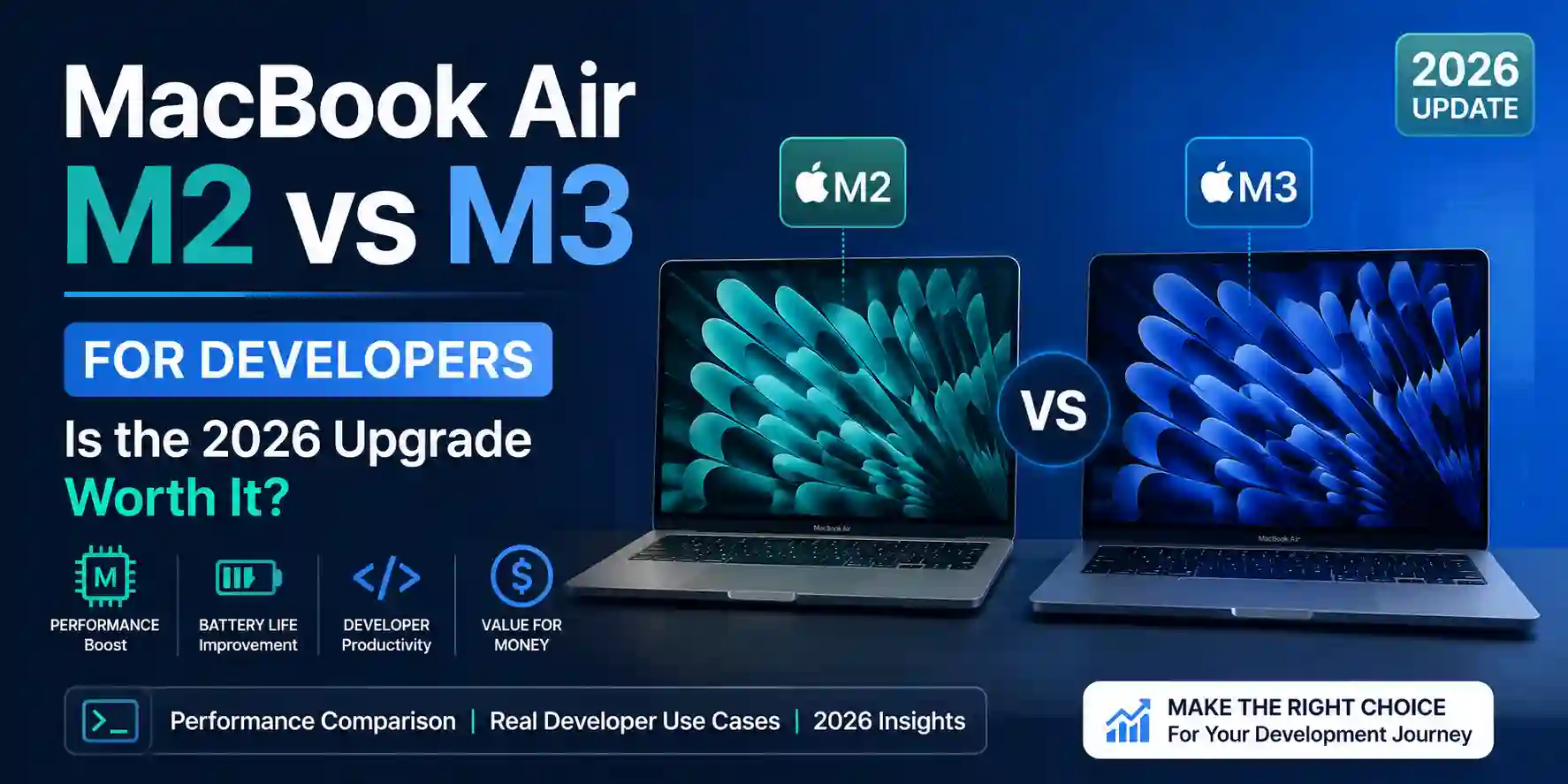
The context that matters before reading: the MacBook Air M4 launched in late 2025 and the M5 released in March 2026. This comparison is specifically M2 versus M3 — because those are the machines most developers in India are currently choosing between on a realistic budget, with the M3 typically available around ₹1,14,900–₹1,39,900 and the M2 still available at meaningful discounts. If your budget comfortably covers the M4 or M5, that is the better buy — but for most developers working within the ₹1,00,000–₹1,40,000 range, M2 versus M3 is the real decision.
| Spec | MacBook Air M2 | MacBook Air M3 |
|---|---|---|
| Chip process | 5nm (Apple M2) | 3nm (Apple M3) |
| CPU cores | 8-core (4P + 4E) | 8-core (4P + 4E) |
| TOP PICKGPU cores | 8 or 10-core | 10-core |
| Neural Engine | 16-core (15.8 TOPS) | 16-core (18 TOPS) |
| Unified Memory | 8GB / 16GB / 24GB | 8GB / 16GB / 24GB |
| Memory bandwidth | 100 GB/s | 100 GB/s |
| Geekbench 6 Single-core | ~2,621 | ~3,093 (+18%) |
| Geekbench 6 Multi-core | ~9,968 | ~11,997 (+20%) |
| Xcode build (same project) | ~232 seconds | ~214 seconds (~8% faster) |
| External displays | 1 (lid open) | 2 simultaneously |
| Wi-Fi | Wi-Fi 6 (802.11ax) | Wi-Fi 6E (faster, wider band) |
| Battery life | Up to 18 hours | Up to 18 hours |
| Webcam | 1080p FaceTime HD | 1080p FaceTime HD |
| MagSafe charging | ✅ Yes | ✅ Yes |
| Starting price (India, 8GB/256GB) | ~₹89,990–₹99,900 (discounted) | ~₹1,14,900 |
| Recommended config (16GB/512GB) | ~₹1,14,900–₹1,24,900 | ~₹1,39,900 |
What the Benchmarks Actually Mean for Developer Workflows
The Geekbench numbers show an 18–20% improvement from M2 to M3. The Cinebench 2024 multi-core scores show M3 at 549 versus M2 at 485 — also roughly 13% ahead. These are real gains. But benchmarks run at maximum sustained load for a short period, and the more important question for developers is: what do these gains mean in the workflows you actually run every day?
Xcode builds: Real-world testing of the same Xcode project across chips gives M3 approximately 214 seconds versus M2's 232 seconds — about an 8% improvement on the specific build test measured. Across a full workday of development, if you run twenty build cycles, that is roughly six minutes of cumulative time saved. Meaningful over months; not the difference between a productive and unproductive day.
Compilation-heavy workflows (C++, Rust, large TypeScript projects): The 3nm architecture's per-core efficiency advantage is most visible here. A C++ single-core sorting operation that takes 3 minutes 55 seconds on an M1 Pro completes in 2 minutes 58 seconds on an M3 Air — significant single-core gains. The multi-core gains are more modest because both chips have the same core count; it is the per-core speed that improves.
Docker and containerized development: Both chips run Docker Desktop and OrbStack well. The M3's memory bandwidth remains at 100 GB/s — identical to M2 — which means Docker container performance scales similarly with memory. With 16GB unified memory, both chips run three to four Docker containers alongside a local development server and a browser comfortably. The M3 does not offer a meaningful Docker performance advantage over M2 at the same memory configuration.
Web development (Node.js, Python, Go): For standard web development — running a local server, writing code in VS Code, debugging in a browser — the M2 and M3 are functionally indistinguishable in daily use. Neither chip is the bottleneck in this workflow. Network speed, database query time, and your own typing speed are the bottlenecks long before CPU performance becomes relevant.
The honest summary: the M3's performance gains matter most for iOS/macOS developers running frequent Xcode builds on large projects, developers running local machine learning models, and designers doing GPU-heavy real-time rendering. For web, backend, mobile-web, and most standard software development workflows, the M2 and M3 feel essentially identical in daily use.
The Three Differences That Actually Matter for Developers
Beyond raw performance, there are three M3 features that have real practical implications for developer workflows in 2026 — and they are worth being precise about.
1. Dual External Display Support
The M2 MacBook Air supports one external display when the lid is open. The M3 supports two external displays simultaneously — both with the lid open.
For developers who work at a desk with an external monitor setup, this is the most significant practical difference between the two machines. A dual-monitor developer setup — code editor on one screen, browser and terminal on another — is a substantial productivity gain, and the M2's single-external-display limitation is a real constraint for desk-based work.
The workaround for M2 users has been DisplayLink docks, which use software rendering to drive additional displays. DisplayLink works but introduces GPU overhead and occasional visual artifacts that a native connection does not. For developers who have or plan to have a dual-monitor desk setup, the M3's native dual display support is worth a meaningful premium.
If you are primarily laptop-only — a student who works on the built-in display, or a developer who travels frequently and uses external displays only occasionally — this difference does not affect your daily workflow.
2. Wi-Fi 6E vs Wi-Fi 6
The M3 adds Wi-Fi 6E support, which operates on the 6GHz band in addition to the 2.4GHz and 5GHz bands that Wi-Fi 6 covers. In environments where the 5GHz band is congested — a busy hostel, a coworking space, a conference — Wi-Fi 6E's less crowded 6GHz band can deliver noticeably lower latency and more stable throughput.
For most college students and developers working from home, this difference is marginal — the 6GHz band requires a Wi-Fi 6E router, which is still not the standard in most Indian homes and offices. If you work regularly from dense, congested network environments where your current laptop's Wi-Fi feels unreliable, the M3's Wi-Fi 6E is a genuine improvement. For most developers, it is a nice-to-have that rarely affects daily experience.
3. Thermal Performance Under Sustained Load
Both the M2 and M3 MacBook Air are fanless machines. Without active cooling, both throttle under sustained heavy load — the CPU slows down when the chassis gets too warm.
The important nuance: the M3's 3nm process is more power-efficient, which means it produces less heat per unit of computation and maintains performance for longer before throttling kicks in. Stress test data shows M3 reaching higher peak temperatures (up to 114°C on the hottest core) but sustaining higher performance levels for longer periods compared to M2, which throttles earlier.
For developer workflows that involve sustained heavy computation — large Xcode builds, local ML model training, video rendering — the M3 maintains its performance advantage longer than the benchmark gap would suggest. For workflows with short bursts of compute followed by lighter tasks, both chips behave nearly identically.
Pros
- 15–18% better CPU and GPU performance on 3nm architecture — meaningful for compile-heavy workflows
- Native dual external display support — a genuine desk-setup advantage over M2's single-monitor limit
- Wi-Fi 6E support on the 6GHz band — more stable in congested network environments
- Better thermal efficiency — maintains performance under sustained load longer before throttling
Cons
- Starting price of ~₹1,14,900 (8GB) or ~₹1,39,900 (16GB/512GB) is ₹15,000–₹25,000 more than discounted M2
- Performance gains in real-world daily coding are modest — 8% faster Xcode builds, imperceptible in web dev
- Same 100 GB/s memory bandwidth as M2 — Docker and memory-intensive workflows see limited improvement
- Still a fanless design — sustained workloads that saturate the M3 will throttle, just slightly later than M2
The M2 MacBook Air: What It Still Does Exceptionally Well in 2026
The M2 MacBook Air launched in July 2022 and remains, as of 2026, one of the most capable development machines available at its discounted price point. Understanding what the M2 does well is as important as understanding what the M3 improves — because for many developers, the M2 case is stronger than the upgrade narrative suggests.
It handles every major developer tool without compromise. VS Code with extensions, multiple Docker containers via OrbStack, a Node.js local server, a browser with twenty tabs, Slack, and Zoom running simultaneously — the M2 with 16GB unified memory handles this standard developer workload without reaching its limits. The machine that was marketed as revolutionary in 2022 is not a bottleneck for most developers' actual workflows in 2026.
The battery life is genuinely all-day. Up to 18 hours claimed, and real-world mixed developer use typically delivers 10–14 hours — enough for a full working day without reaching for a charger. For developers who move between locations, this remains one of the M2 Air's strongest advantages over any Windows competitor at any price.
The macOS ecosystem advantages compound over time. Homebrew, native Unix tools in Terminal, the Mac-native builds of every major developer tool, seamless iPhone/iPad testing for mobile developers, and the general quality of macOS developer experience — none of this changes between M2 and M3. The ecosystem advantages of choosing a MacBook for development are identical across both generations.
The M2 delivers 95% of the M3 experience for 70% of users. This is not marketing language — it reflects that for web development, Python, Node.js, Go, standard mobile development, and most backend workflows, the M2 and M3 are functionally equivalent in daily use. The 5% gap appears in specific scenarios: sustained compile jobs, GPU-heavy real-time work, and the dual-display setup. If your workflow does not hit these scenarios frequently, you are paying for capability you will not use.
Pros
- Available at ₹89,990–₹1,14,900 on discount — ₹15,000–₹25,000 cheaper than the equivalent M3 config
- Handles every standard developer workflow — web, backend, mobile, data science — without becoming a bottleneck
- 18-hour claimed battery, 10–14 hours real-world — genuinely all-day without a charger
- Battle-tested stability — over three years of macOS compatibility data, driver stability, and user experience
Cons
- Single external display only when lid is open — a real limitation for dual-monitor desk setups
- 5nm process is less thermally efficient — throttles earlier under sustained heavy compute than M3
- Wi-Fi 6 instead of 6E — slightly less capable in very congested network environments
- Buying a 2022-architecture chip in 2026 means slightly shorter remaining relevance window
The Configuration Decision: 8GB vs 16GB, 256GB vs 512GB
Regardless of whether you choose M2 or M3, the configuration decision matters more than the chip generation for most developers — and it deserves explicit guidance.
Always buy 16GB. This is non-negotiable for developer use.
The 8GB base configuration is sufficient for casual use — browsing, documents, streaming. For development, 8GB unified memory fills up quickly when you add VS Code with extensions, a browser, Docker containers, and a terminal. When physical memory fills, macOS begins swapping to SSD — the M-series SSDs are fast, but swap still introduces latency that is perceptible during active development. On a machine you plan to use for four to six years, 8GB is a configuration you will outgrow.
Apple's unified memory architecture means 16GB on Apple Silicon performs comparably to 24GB on a traditional Windows laptop — the shared memory pool accessible to both CPU and GPU without the overhead of data transfer between separate pools. Even accounting for this efficiency advantage, 8GB is insufficient for serious development in 2026.
Buy 512GB storage. 256GB is too small for developers.
256GB fills faster than most developers expect: macOS takes approximately 15–20GB, Xcode takes 12–15GB, and a typical development environment with Node modules, Python environments, Docker images, and a few active projects consumes another 40–60GB. After six months of active development, 256GB feels constraining. 512GB provides comfortable headroom for a full development environment plus personal files without constant storage management anxiety.
The practical implication: the recommended developer configuration is 16GB/512GB on either chip. In India, this lands the M2 Air at approximately ₹1,14,900–₹1,24,900 and the M3 Air at approximately ₹1,39,900 — a gap of roughly ₹15,000–₹25,000 depending on the current discount.
Practical Workflows: Where Each Machine Wins
iOS/macOS Developer Running Frequent Xcode Builds
M3 is the better choice. The 8% faster Xcode build time is modest in absolute terms but compounds across a full workday of development. More importantly, the M3's better thermal performance means it sustains higher performance levels through back-to-back builds without the throttling that affects M2 during intense compile sessions. For iOS developers, the M3 is the correct choice when budget allows.
Web Developer (React, Node.js, TypeScript)
M2 is sufficient; M3 offers no meaningful daily advantage. The CPU is not the bottleneck in web development workflows. A React development server, TypeScript compilation, a browser, and VS Code running simultaneously consume memory more than CPU, and both machines with 16GB handle this identically. The discounted M2 is the better value here.
Backend Developer (Python, Go, Java, Docker)
M2 is sufficient for most; M3 for Docker-heavy setups. Standard backend development in any language runs identically on both chips. For heavily containerized development with five or more Docker containers running simultaneously, the M3's slight performance advantage under sustained load provides a small but real improvement. The dual display support is useful if you have a desk setup with two monitors for your IDE and terminal.
Data Science / Machine Learning Developer
M3 is the better choice, with caveats. The M3's GPU is 16% faster than M2 in GPU benchmark tests, primarily due to hardware ray tracing and updated architecture. For running local ML models, training smaller models, or doing GPU-accelerated data processing, the M3's GPU advantage is real. For heavy ML workloads that require sustained GPU utilization, the MacBook Air's fanless design throttles both chips — consider a MacBook Pro with active cooling instead.
Developer with a Dual-Monitor Desk Setup
M3 is the clear choice. The single practical situation where M3 is unambiguously superior is a dual external monitor setup. If you plan to connect two external displays to your laptop dock at your desk, the M3's native support for this is worth the premium on its own. The M2's single-external-display limitation on an open lid is a real daily constraint for this use case.
Developer Who Primarily Works on the Built-In Screen
M2 is excellent value. The built-in 13.6-inch Liquid Retina display is identical on both machines. If you work primarily on the laptop screen — commuting, cafes, travel — the M2 and M3 offer the same display experience, the same form factor, and essentially the same daily workflow. The M2 at a ₹15,000–₹25,000 discount is the better value.
The M4 and M5 Context: Should You Buy Either Right Now?
This comparison focuses on M2 versus M3, but the honest picture in 2026 requires acknowledging that the M4 and M5 MacBook Air also exist and affect the buying decision.
Xcode build times from tested benchmarks show a clear generational progression: M2 takes approximately 232 seconds, M3 takes 214 seconds, M4 takes 178 seconds, and M5 takes 150 seconds for the same project. The jump from M2 to M5 saves over 80 seconds per build — meaningful for iOS developers running many daily build cycles.
The M5 MacBook Air, launched in March 2026, starts at ₹1,19,900 in India for the 13-inch configuration and adds Wi-Fi 7, Bluetooth 6, 512GB as the base storage, and Neural Accelerators in every GPU core delivering up to 4× faster AI performance than the M4.
The practical implication: if your budget is ₹1,39,900 (the M3 16GB/512GB price), the M4 MacBook Air is available at a similar or only slightly higher price and is a better machine across every metric. The M3 is the right choice only if it is significantly discounted relative to the M4 — which is increasingly the case as the M4 and M5 take the spotlight.
For developers specifically: do not buy M2 in 2026 unless the discount is substantial (₹20,000 or more below the M3 equivalent). The M2 MacBook Air delivers 95% of the M3 experience for 70% of users, but the gap between M2 and the now-available M4 is large enough that buying M2 new at close to M3 pricing is a poor value decision.
Developer Tooling: What Works, What to Know
For developers considering the switch from Windows to Mac on either of these machines, the ecosystem compatibility question matters:
Docker: Docker Desktop runs natively on Apple Silicon (ARM64 architecture). OrbStack is an increasingly popular alternative — lighter resource overhead, faster container startup, and better performance for most development workflows. Both work excellently on M2 and M3.
Virtual Machines: Parallels Desktop runs ARM versions of Windows 11 and Linux with near-native performance on both chips. x86 virtual machines run through emulation — functional but slower than native ARM VMs. If your workflow requires full x86 VM performance (certain MATLAB configurations, legacy Windows tools), test compatibility before switching from a Windows machine.
Programming Language Ecosystems: Python, Node.js, Go, Rust, Java, Ruby, PHP, and every major interpreted and compiled language has native ARM builds that run without emulation on M2 and M3. Homebrew on Apple Silicon is stable and comprehensive. The macOS developer experience for Unix-adjacent development workflows is, for most developers, better than Windows — native terminal, native SSH, native scripting, and better integration with iOS development if that is part of your stack.
iOS Development: Xcode requires a Mac. For iOS/macOS developers, the choice is not Mac versus Windows — it is which Mac. The M3's Xcode performance advantage is real; the M2 is still a capable Xcode machine.
This tooling ecosystem is one reason AI coding tools pair so naturally with a Mac development setup — the tools covered in our best AI coding tools guide and the Cursor vs Copilot comparison all have native macOS builds that run without compatibility concerns on both M2 and M3.
The India-Specific Buying Strategy
Pricing in India fluctuates significantly, and the M2 versus M3 calculus depends heavily on the current discount environment:
Apple Education Store: Students and educators get 10–15% discounts on MacBook Air configurations at education.apple.com/in. This is the first place to check — the M3 16GB/512GB at an education discount frequently undercuts the standard M2 retail price.
Amazon India and Flipkart: Both platforms run periodic sales (Republic Day, Prime Day, Great Indian Festival) where MacBook Air M2 and M3 configurations see ₹8,000–₹20,000 discounts. Set price alerts on Smartprix for the exact SKU you want.
The discount threshold that changes the decision: If the M2 16GB/512GB is available at ₹20,000 or more below the M3 equivalent, the M2 is reasonable value for developers whose workflow does not require dual displays. If the gap is under ₹15,000, buy the M3 — the dual display support, Wi-Fi 6E, and better thermal performance justify the premium at that gap.
Never buy 8GB for development. The temptation to save ₹15,000 by buying the base 8GB configuration is worth resisting. RAM on Apple Silicon cannot be upgraded after purchase. The 8GB configuration you buy today is the 8GB you have in four years, by which point the constraint will be more painful.
The Developer's Decision: M2 vs M3 in 2026
Buying new today: Buy the M3 with 16GB/512GB if budget allows (₹1,39,900), or the M4 Air if available at a similar price point — it is the better long-term investment. The M3's dual display support, Wi-Fi 6E, and 3nm thermal efficiency are worth the ₹15,000–₹25,000 premium over M2 for desk-based developers. Already own an M2: Do not upgrade. The real-world daily development experience is nearly identical. Invest the upgrade budget in peripherals — a good external monitor, mechanical keyboard, or better headphones — that improve your daily workflow more than the chip generation difference. Budget under ₹1,15,000: Get the M2 16GB/512GB at a meaningful discount. It handles every standard developer workflow without compromise and will continue to do so for four to five more years. The right configuration matters more than the chip generation for most developers.
What Actually Improves Your Developer Productivity More Than the Chip
The chip discussion dominates MacBook buying conversations partly because it is measurable and partly because Apple's marketing makes it feel like the most important variable. In reality, for most developers, the configuration and peripheral choices improve daily workflow more than the M2-to-M3 chip gap.
16GB vs 8GB RAM: The difference between 8GB and 16GB unified memory in a developer workflow is far more impactful than M2 versus M3. Memory constrains what you can run simultaneously — Docker containers, local servers, browser tabs, IDEs, and build tools all compete for the same pool. Choosing 16GB over 8GB is the most important configuration decision on any MacBook Air.
An external monitor: A good 27-inch external display at 1440p or 4K improves developer workflow more than any chip upgrade. Code review, reference documentation alongside the editor, and terminal visibility are all better with more screen. For M3 owners, a second external display doubles this advantage.
AI coding tools: The GitHub Copilot integration we covered in our Cursor vs Copilot guide and the broader AI development stack from best AI coding tools 2026 improve throughput in ways that compound every day. A developer running Cursor on an M2 Air outperforms a developer without AI tools on an M3 Air in most real-world productivity metrics.
A mechanical keyboard: Eight-plus hours of typing daily deserves a good keyboard. The MacBook Air keyboard is fine, but a good 65% or 75% mechanical keyboard with switches matched to your typing style improves the physical experience of development more than the chip version.
This is not to dismiss the M3's genuine advantages — they are real, especially for iOS developers and dual-display setups. It is to calibrate where the marginal upgrade dollar is best spent. For most developers, the answer is not the chip.
Final Thoughts
The MacBook Air M2 and M3 are both excellent developer machines. The M3 is unambiguously the better laptop — 3nm architecture, dual display support, Wi-Fi 6E, and better thermal performance are real improvements that matter in specific scenarios. The question is whether those improvements are worth ₹15,000–₹25,000 more than a discounted M2 in your specific developer workflow.
The practical answer for most developers: if you are buying new and budget allows, buy the M3 or M4 — they are the current generation and the better investment. If you already own an M2 in good working condition, do not upgrade — the daily development experience is nearly identical and the money is better spent elsewhere. If you are budget-constrained, the M2 at a significant discount remains one of the best developer laptops available at any price.
Whatever you buy, configure it with 16GB unified memory and 512GB storage. Those two decisions affect your daily workflow more than the chip generation. And pair it with the AI coding tools that multiply the productivity of whatever hardware you are running — the machine is the foundation; the tools are the multiplier.