The Moment I Stopped Hand-Writing UI Boilerplate
This past semester, I was creating the front-end for my capstone project – task management dashboard for remote teams. I needed a left sidebar navigation, an empty structure of a kanban board, some cards for the statistics section, and a data table with sorting and filtering capabilities. Nothing extraordinary. Things I've built many times before.
I opened Figma and started designing. Then I opened my code editor and started implementing things using React JSX. In an hour, I had a decent left sidebar with its navigation elements with icons and a partially completed card component implementation. Kanban board remained untouched. Deadline for the design review was tomorrow morning.
I got a message from a friend with a v0.dev link. I typed this: "Dashboard layout with a collapsible left sidebar with nav items having icons, a top bar with a user avatar and notifications and a main section with four statistic cards, a kanban board with three columns and a data table."
It took me less than 20 seconds before I got my fully working React component tree with Tailwind style and shadcn/ui components that looked close enough to what I had sketched for me to do nothing else than write business logic. The project got through a code review.
This experience changed my mindset on how to approach the frontend development pipeline – not AI writing code for frontend engineers, but AI doing the scaffolding work while engineers concentrate on the things that require their judgment.
This article provides a full guide on v0.dev – an introduction, description of its workings, areas it proves helpful and not, and its place in the larger picture of AI-assisted development stack you are most likely building.
| Feature | v0.dev | GitHub Copilot | Cursor AI |
|---|---|---|---|
| Generation Style | Full component from prompt | Inline autocomplete | Multi-file from instruction |
| TOP PICKLive Preview | ✅ Yes, in browser | ❌ No | ❌ No |
| Tech Stack | React + Tailwind + shadcn/ui | Any language/framework | Any language/framework |
| Iterative Refinement | ✅ Chat-based follow-ups | ⚠️ Limited | ✅ Composer |
| Codebase Awareness | ❌ No project context | ⚠️ Open file only | ✅ Full @codebase index |
| Copy to Project | ✅ One-click copy | ✅ Tab to accept | ✅ Accept diff |
| Best For | UI scaffolding & prototyping | Daily inline coding | Multi-file refactoring |
| Free Tier | ✅ Monthly credits | ✅ Student Pack (free) | ✅ Limited credits |
| Paid Plan | $20/mo (Pro) | $10/mo | $20/mo (Pro) |
What v0.dev Actually Is
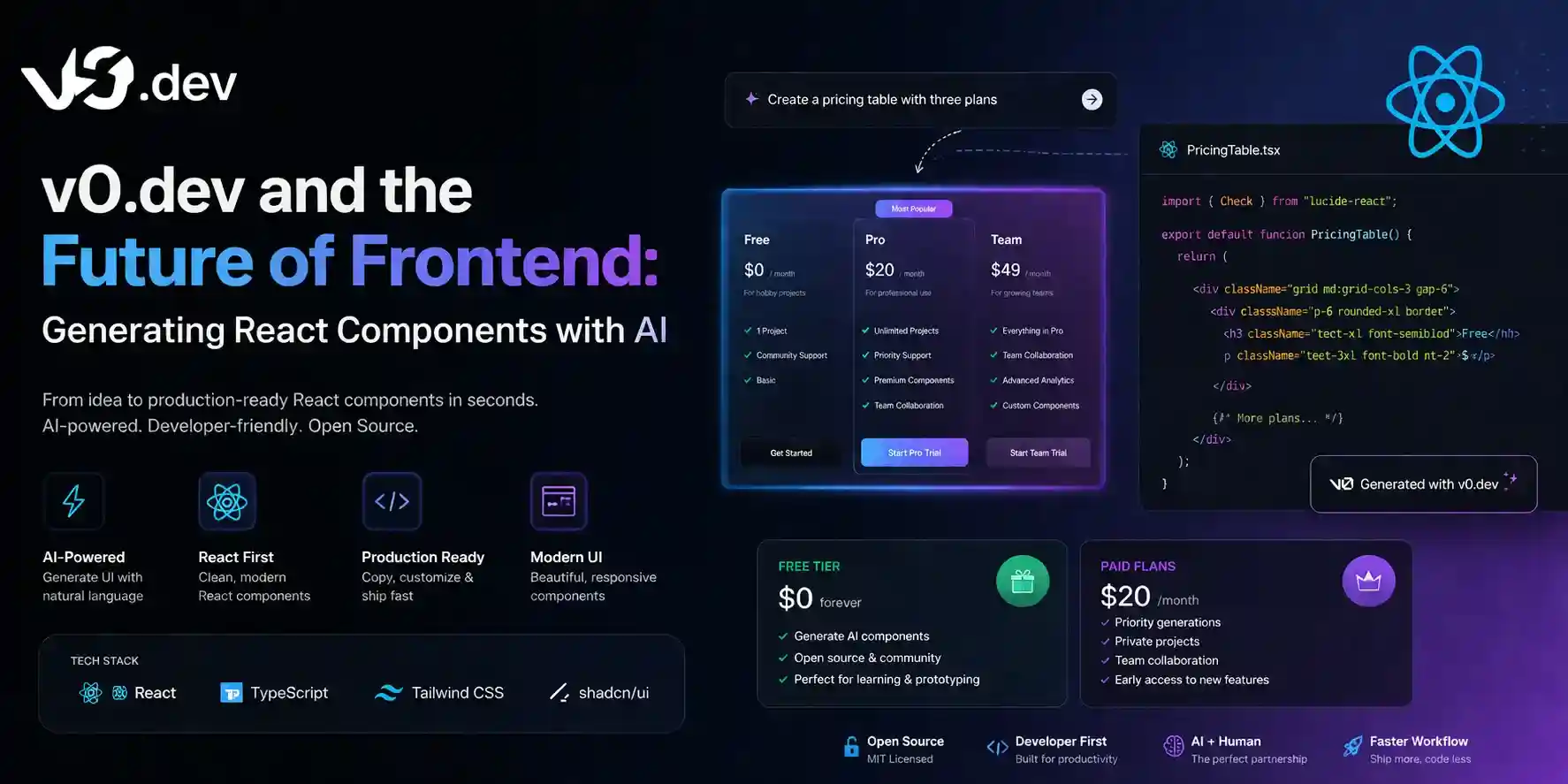
v0.dev is an AI-based utility that builds UIs for users. It is a simple concept, wherein all one needs to do is give a verbal description of the required component/page. In return, it gives back production-level React code that is styled using Tailwind CSS and built from shadcn/ui components.
The platform consists of a chat box on the left-hand side, where users enter their descriptions and get back the generated component in the right-hand box. Users can iteratively refine their requests through conversational feedback, such as making the sidebar collapsible, changing the colors of the card to the brand primary color, and adding a loading skeleton state to the table.
What distinguishes v0 from just telling Claude or ChatGPT to generate a React component is the preview feature. You can check whether the output meets your expectations by seeing it rendered instantly, without having to copy the generated code to your IDE, install the required dependencies, and start a development server. It provides instantaneous feedback.
Moreover, the output is not opaque. All the components that v0 generates are well-written and organized like any professional frontend engineer would do. In contrast, previous attempts at generating code using AI tended to generate messy outputs that were difficult to read.
The shadcn/ui + Tailwind Foundation — Why It Matters
The choice by v0 to use shadcn/ui and Tailwind CSS as their output stack is no coincidence; it is precisely what gives the output code utility and not theoretical interest.
shadcn/ui is not a conventional component library that can simply be installed and imported; it is a suite of copy-and-paste React components based on Radix UI, and thus they are fully accessible and customizable. When v0 generates a <Dialog> or a <DataTable> using shadcn/ui, you own the component code directly — there is no version lock-in, no library update breaking your UI, no fighting with a component API that was not designed for your use case.
Tailwind CSS manages styles via utility classes rather than component-specific CSS. This allows v0-created components to be seamlessly integrated into any existing Tailwind project without any styling issues. Class names are predictable and easily editable; you only need to change one word to alter a color, spacing, or breakpoints.
In combination, all of this means that when your code outputs from v0, you will receive fully functional code that will integrate seamlessly into your projects without requiring you to go through any refactoring process right away. If you are already using this stack, then your v0 code output will be close to plug-and-play.
If you haven’t adopted this stack but are interested in learning about other AI coding tools that can work in tandem with v0, check out our article on the best AI coding tools in 2026.
What v0.dev Does Exceptionally Well
UI Scaffolding and Layout Generation
v0’s greatest strength lies in translating a structural description into a full layout, something which will take an experienced engineer thirty to sixty minutes to write by hand — in twenty seconds. Dashboard templates, landing pages, multi-column designs, navigation schemes, form layouts, etc., wherever the problem revolves around laying out the scaffold and establishing correct proportions, v0 does it in a way that is simply astounding.
The result may not be pixel perfect. The output will certainly not match a meticulously crafted design in Figma without iterations. However, it gets you to seventy percent in seconds, and the process of iterating from seventy percent to ninety-five percent using the chat interface is much quicker than designing from scratch.
Component Variants and States
v0 performs admirably when it comes to handling changes in state for components. Requesting the button component, asking for the default, hover, disabled, and loading states, will result in having all four states correctly rendered in one single component. Requesting a form field component, where you require an error state, a success state, and helper text, will be accomplished effectively during the very first try.
This is where v0 exceeds the limitations of a static mockup generator. The generated code isn’t merely a depiction of your desired states; it is the actual code in React that will render those states, depending on the props you provide.
Rapid Prototyping for Technical Presentations
If you've had to develop a quick and dirty interface to present an idea to clients, at a hackathon, or at a capstone review meeting, you've experienced the pain of developing UI just for demonstration purposes. v0 saves you from having to do that.
For your convenience — since you may be using AI to help you create presentations while you're building your UI, you might like our list of 6 AI presentation tools to complete your PPTs in minutes.
Responsive Layout Generation
The fact that the v0 is able to describe the responsive design — "3 columns on desktop, 2 columns on tablet, 1 column on mobile," and generate proper Tailwind breakpoint class names from the generated code cannot be overstated. Prefixing using the sm:, md:, and lg: is done right, and so is the stacking behavior on mobile. The most tedious part of CSS development, responsive design, comes for free with v0.
What v0.dev Does Not Do Well
Complex Stateful Logic
It can generate the UI structure well. However, it becomes much less reliable when the component involves any form of state management — from optimistic updates, complicated form validation with interrelated fields, live data synchronization, through to wizards that require retaining state between steps. In these cases, while the structure of the code will be correct, the actual logic handling of the states will usually be wrong.
The realistic process flow in the case of complicated stateful components is: utilize v0 to generate the UI structure and component hierarchy, while writing your own state-related code. These are logically two distinct processes: "what it looks like" and "what it does".
Data Fetching and API Integration
The v0-generated components have static mock data for any content-heavy UI elements like tables, lists, or cards. The component will have an architecture where it receives the data through props or state variables; however, the data fetching logic such as using useEffect and fetch, setting up React Query, configuring SWR, or loading data on the server component is not generated by v0.
It is a reasonable choice (as v0 does not know about your API structure), but it's important to be aware of this beforehand. The generated component is merely a presentation layer that you connect with the actual data.
Project-Specific Context
v0 does not have any awareness of your codebase. It does not understand your design tokens, your component library, how you manage your state, or your folder conventions. With each generation, it starts from scratch, and the generated code might not adhere to your project's naming, folder structure, or props interface.
This is the core constraint that differentiates v0 from other code generators like Cursor, which scans your entire codebase and then generates code that follows your conventions. v0 works wonders for standalone components, but when it comes to components that have to fit into an extensive codebase, Cursor becomes a much more powerful option. For further information on the differences between Cursor and GitHub Copilot, refer to our article on Cursor vs GitHub Copilot.
Authentication and Security Patterns
Do not call v0 to create authentication flows, role-based access control code, and any user interface element whose display depends on security concerns. The code produced will seem legitimate and even work, but UI elements that involve security logic need to be implemented thoughtfully to go beyond just structure. Hand-code all UIs that are related to authentication.
Pros
- Live preview with complete component creation
- Shadcn/ui and Tailwind combined output seamlessly merges into any conventional React or Next.js project
- Continuous chat refinement — instructions for subsequent iterations polish the already generated component without having to start from scratch
- Responsive design, component state variations, and accessibility fundamentals are accounted for
Cons
- Project context is not available — generated code does not adhere to existing patterns in your code base automatically
- Complex, stateful business logic and data fetching require manual coding after generation
- Free tier credit limits could be quickly exhausted while prototyping
- Generated output is always in React + Tailwind + shadcn/ui and is not compatible with Vue, Svelte, or other frameworks
The v0 Prompting Guide: How to Get Production-Ready Output
The distance from an ordinary v0 generation to a good one often forms the prompt itself. While v0 is superior to generic language models for understanding visual intentionality, its performance can still be significantly improved using particular instructions.
Specify the layout structure explicitly: Replace "a dashboard" with "a dashboard featuring a fixed left sidebar of 240px, a top navigation bar including a search box and user icon, and a main content section displaying a 3-column stat card layout and full-width data table underneath."
Name the component states you need: Rather than "a button", describe "a submit button that changes through four states: default (blue), loading (spinner & disabled), success (green checkmark), and failure (red with retry label)."
Reference design patterns by name: v0 knows the concepts of "command palette", "combo box", "table of data that can be sorted and paginated", "stepper form", "stack of toast notifications", and "skeleton screen". Naming these patterns will result in better accuracy.
Describe data shape for content-heavy components: Regarding the data table and list, give the description for columns or fields: "a data table with columns: Name (sortable), Email, Role (badge), Status (toggle), and Actions (Edit/Delete)."
Iterate, do not restart: "If the first generation is correct 70% of the time, don't throw out the baby with the bathwater. Instead, iterate on your prompts in chat such as 'make the sidebar collapsible via a toggle button,' 'adjust the card border radius to match that of the table below,' or 'insert a search box above the table.' "
Practical Workflows: v0 in a Real Development Process
Workflow 1: Landing Page Section Scaffolding
The task: Build a SaaS landing page hero section with headline, subheadline, two CTA buttons, a product screenshot mockup area, and a row of social proof logos below.
v0 prompt: "Hero section for a SaaS product. Left side: large headline, one-line subheadline, two buttons side by side (primary 'Start Free Trial', secondary 'Watch Demo'). Right side: a rounded rectangle representing a product screenshot with a subtle shadow. Below the full-width section: a row of 6 company logo placeholders labeled 'Trusted by'. Responsive — stacked on mobile, side by side on desktop."
Result: A complete, responsive hero section in one generation. Copy into your Next.js project, replace placeholder text and the logo images, and the section is production-ready in under five minutes.
Workflow 2: Form Component With Validation States
The task: Build a multi-field registration form with validation feedback.
v0 prompt: "Form with elements: Name, E-mail, Password, Repeat password. Each element has a label, a hint, and an error state that features a red outline and an error message under the element. Submit button that activates a spinning loading icon upon clicking. Form includes a link: “Got an account already? Log in.”"
The form shape is now done. Add your wire through React Hook Form/Zod for the logic; v0 provides the visual framework, while the library takes care of correctness.
Workflow 3: Component Iteration From a Screenshot
The task: You have a screenshot of a competitor's UI component you want to replicate structurally (not copy).
Describe what you see: *"Notification Card Component. Left: A colored icon within a circular border (green for success, red for error, yellow for warning). Right: Title text in bold letters followed by description text. Top-right corner: An X button to close. Bottom: Two hyperlinks ('View Details' & 'Dismiss')."
v0 produces a component that matches the described structure. Adjust colors and typography in the Tailwind classes to match your design system.
Workflow 4: Rapid Hackathon Prototyping
It is during hackathons that v0 offers the greatest density of utility. You have between 24 and 48 hours, you require a fully functional UI, and devoting four hours to component styling is money you can ill afford. Get your entire application skeleton – sidebar, header, main regions, and modals – done in an hour with v0, then use whatever time is left for coding the functionality.
The concept here is similar to that of utilizing AI tools for generating technical documentation – AI takes care of the skeleton generation, while you take charge of the content that demands domain expertise.
How v0 Fits Into the Broader AI Development Stack
The place where v0 fits into the AI development chain is important to know, as it would be an error to think that it can do everything.
The layers of the AI development chain are:
Layer 1 — In-editor autocomplete: Line-by-line code completion is the domain of GitHub Copilot or Cursor's Tab completion. That is your baseline code completion. The quickest way to understand this aspect of coding is via our [Cursor vs GitHub Copilot comparison](/ai-tools/cursor-vs-github-copilot-which-ai-editor-is-better-in-202
Layer 2 — Component generation: UI scaffolding in natural language is provided by v0.dev within a browser environment with real-time previews. This is the level at which you will be creating React components structures that would otherwise take considerable effort.
Layer 3 — Codebase-wide reasoning: The refactoring of multiple files, familiarization with foreign code, and creation of code to be included within an existing project belong to Cursor's Composer and @codebase modules. These tasks are what layer v0 can't perform since it doesn't have any project context.
Layer 4 — Specialized generation: AI SQL generators are examples of tools that provide domain-specific generation, as explained in our guide on "7 Best AI SQL Generators: Writing Complex Queries with Natural Language." Likewise, regex AI generators, which we discussed in our "[How to Use AI to Explain and Generate
The people who will benefit from AI the most in 2026 are not going to choose one technology, but rather will apply each level according to its capabilities and switch between them seamlessly.
The Future of Frontend: What v0 Signals
v0.dev is not simply a productivity enhancer; it is a statement about the future of frontend development. The abstraction layer is shifting upwards. Less effort devoted to setting up the structure, more effort spent making the calls that involve product sense, accessibility considerations, performance tuning, and comprehension of the user.
It does not imply that frontend developers are becoming obsolete. It simply implies that the floor from which one can deliver is getting higher. With v0, Cursor, and a well-designed design system, one developer can deliver what once needed a small team two years back. It is not an existential crisis for the role; it is a broadening of personal power.
What this means, however, is that what will become important for frontend developers are judgmental skills, rather than technical skills: evaluating whether something created with AI is up to scratch, identifying what went wrong, and then fixing it. Being able to judge rather than code is now the scarcity skill set.
The developers who succeed in this new age will be those with such fundamental knowledge as to be able to evaluate what is created using AI rather than simply being able to recite the longest list of Tailwind utility classes. Knowing what good React looks like, what makes for accessible HTML markup, and what renders quickly are all key components in being able to use AI to make a great website.
To learn alongside the best AI coding tools, check out our article on the best AI coding tools for 2026.
Final Thoughts
v0.dev is the best UI scaffolding framework that exists in 2026. If you are working with React, building a Next.js app with Tailwind and shadcn/ui, this is an actual productivity tool — not a toy, not an experiment, but a tool that helps you get all that boring stuff done so that you can focus on important tasks.
It starts with using the free version. Try this on your next side project or hackathon. Create a page section, build a dashboard, or create a sortable table. Figure out what the results of generation are great and which need manual improvements. Getting started takes just a few minutes.
What we have in the future of frontend development is not about letting AI generate a UI for us. It is about getting rid of repetitive work with scaffolding and focusing on those tasks that involve making decisions, and these decisions require understanding the users and their needs and evaluating tradeoffs.
v0 is the tool you should be using.